
Report-Engine v1.2.0
V1.2.0 Release
Release Date
22 April 2025
⚠️ Warning: This is a code breaking release. NO backwards compatibility
thanks to many inputs from our users, the CodeHarbor team has created a new, and more flexable way to create your reports. this release also offers more options for future, non code-breacking, releases. The Report-Engine report creation is now based on blocks. These blocks allow you to add different types of content to your reports, and place this in a more user-friendly way.
The CodeHarbor Report-Engine now allows more custom created reports.
Report Details
All blocks can now be added to the build-up of your report.
Following blocks are available in Report-Engine V1.2.0.
| Blocks | Enable new page |
|---|---|
| Table of contents | 🚫 |
| Title | ✅ |
| Text | 🚫 |
| Empty Lines | 🚫 |
| Host inventory | ✅ |
| Active problems | ✅ |
| All problems | ✅ |
| Graph | ✅ |
| Page Break | N/A |
Detailed descriptions :
Table of contents
This block enters a table of content to your report. If Active, the TOC is always shown on Page 2. This is filled automatically by the Headers and blocks you enter in your Report.

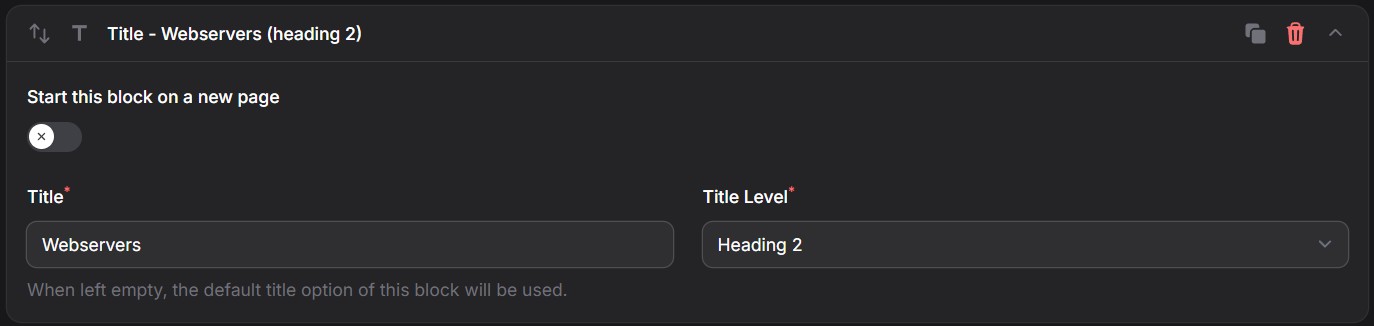
Title
This block allows you to add a Title to your Report.
Fields:
Start on New Page Title Title Level -- 3 levels possible
Text
This block allows you to add a Fixed text your Report.
Fields:
Text

Empty Lines
This block allows you to add free frame to your report. After execution of your report, you can add your personalized or itemized comments to the Report.
Fields:
Number of emty lines

⚠️ Warning: In order to add your comments in these text areas, you need a tool allowing to write in a PDF file.
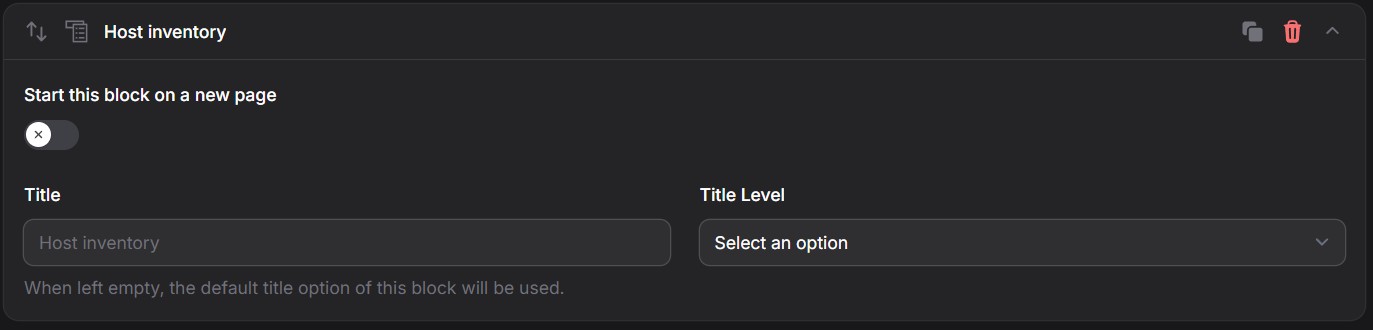
Host Inventory
This block lists all hosts in your selected hostgroups.
ℹ️ Info: In your style you can choose to show or hide disabled Hosts
Fields:
Start on new page Title Title Level
Active problems
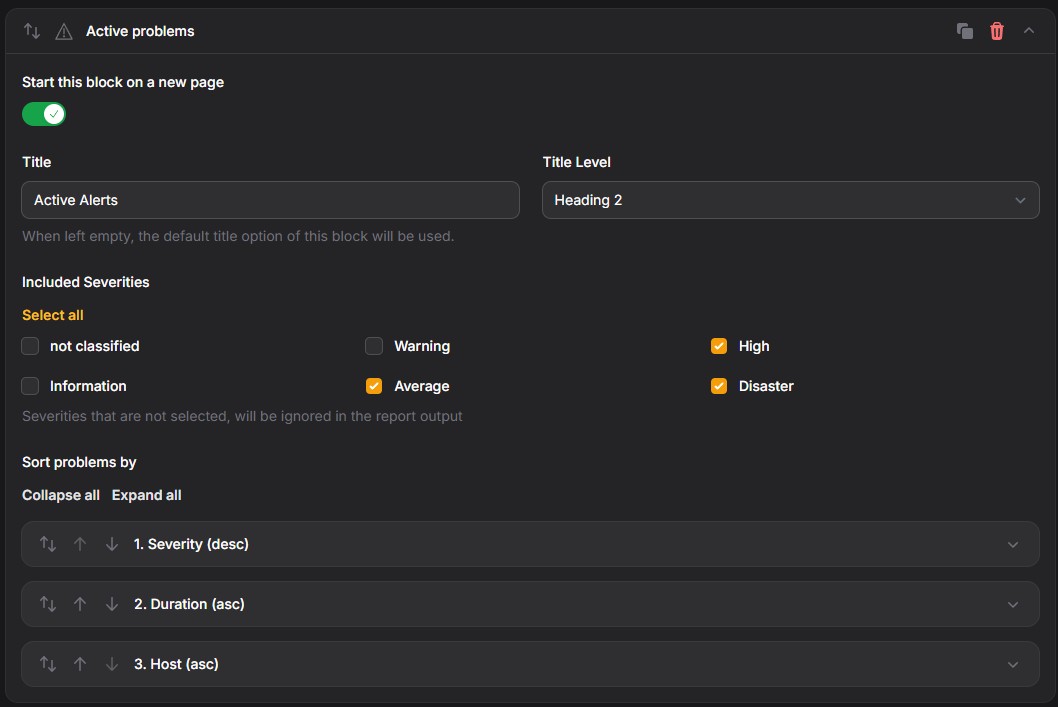
This block creates a list of all active problems, at the time of Report creation..
Fields:
Start on new page Title Title Level Included severities
Allows you to set the severities to include in your report Sort options
All problems
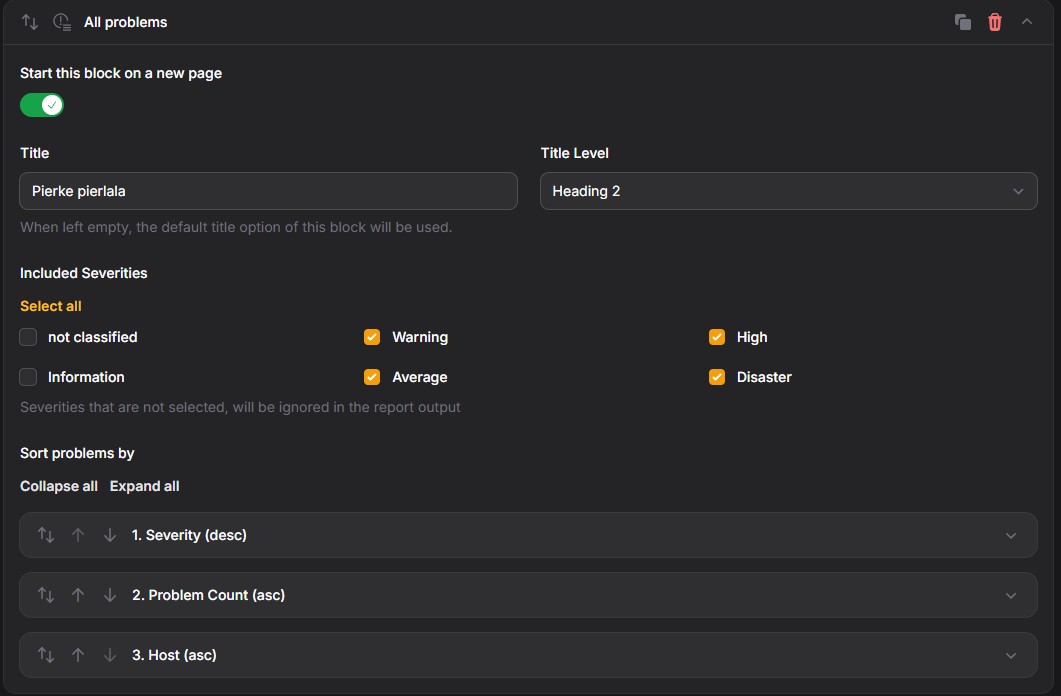
This block creates a list of all problems, that occurred during the timeframe of your report.
Fields:
Start on new page Title Title Level Included severities
Allows you to set the severities to include in your report Sort options
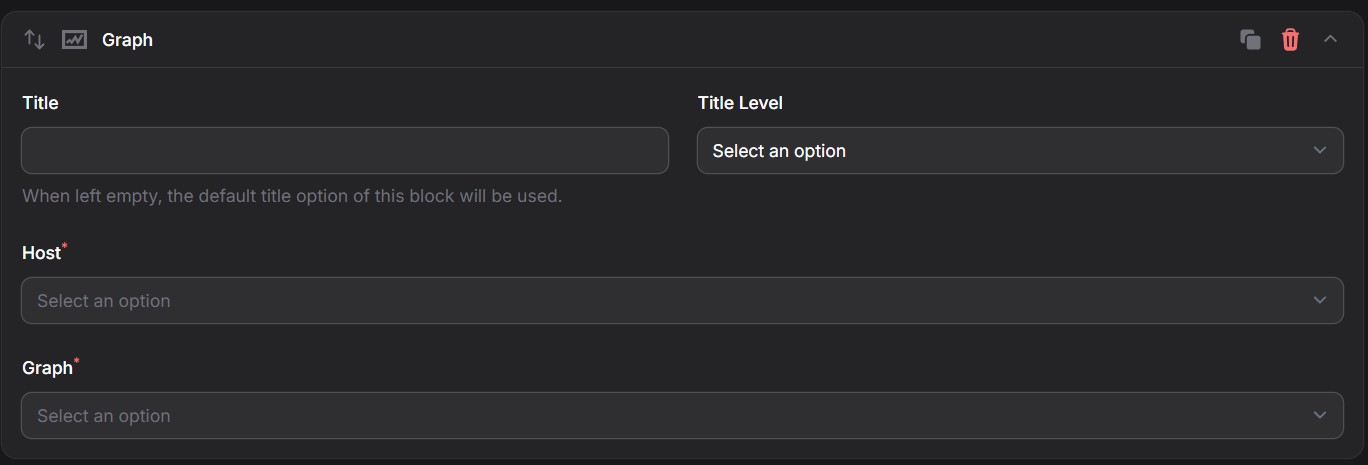
Graph
One of the main cornerstones of your report, Graphs. Any graph that is available in your Zabbix configuration can be shown in your report.
ℹ️ Info: In your style you can choose to show your graphs in Dark mode
Fields:
Start on new page Title Title Level Host (Dropdown) Graph (Dropdown)
Page break
This block allows you to define a page break between any 2 blocks
ℹ️ Info: Several Blocks also contain the option to start on a new page
