
Report-Engine v1.3.1
Create your style
Depending on your subscription, you can create one or more styles. These styles allow you to personalize your reports.
Go to "Styles" in the menu
Select "New style"
General
Style Name
Your Style name is used for future reference, when creating a report.
Logo
You can upload a Company Logo. This logo will be displayed on the cover page of your reports.
ℹ️ Info: Accepted filetypes: .png / .jpg / .jpeg Max filesize: 512kb Recommended ratio: 16:9
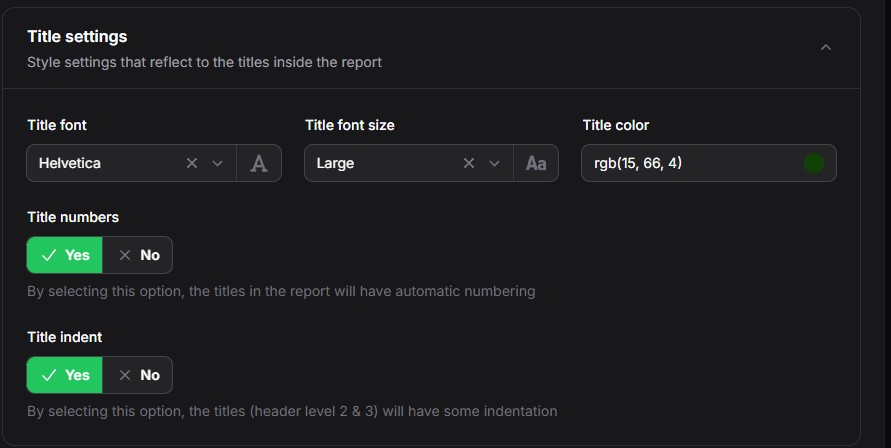
Title Settings
The Title Font lets you define your favorite Font. The Title font size selects the general font-size of your titles. In a report, you can define 3 title levels. The Title color lets you define your custom color for your titles.
Further options include:
Title Numbers to enable or disable numbering of all titles in your report. The number formats are
1
1.1
1.1.1
Title indent enabling a small indent in higher level titles.
PDF options
you can now select a few PDF options
Dotted table of contents
when enabled, a dotted line is added between the title and the page number
Hide disable hosts
when enabled, also disabled hosts (that often reserve resources) are added to your report.
Graph Options
you can now select a few Graph options
Graph dark mode
when enabled, your graphs will be in dark mode
⚠️ Warning: the dark mode theme should be activated on your Zabbix Server.
Click Create to save your style